azdevcli
Workshop
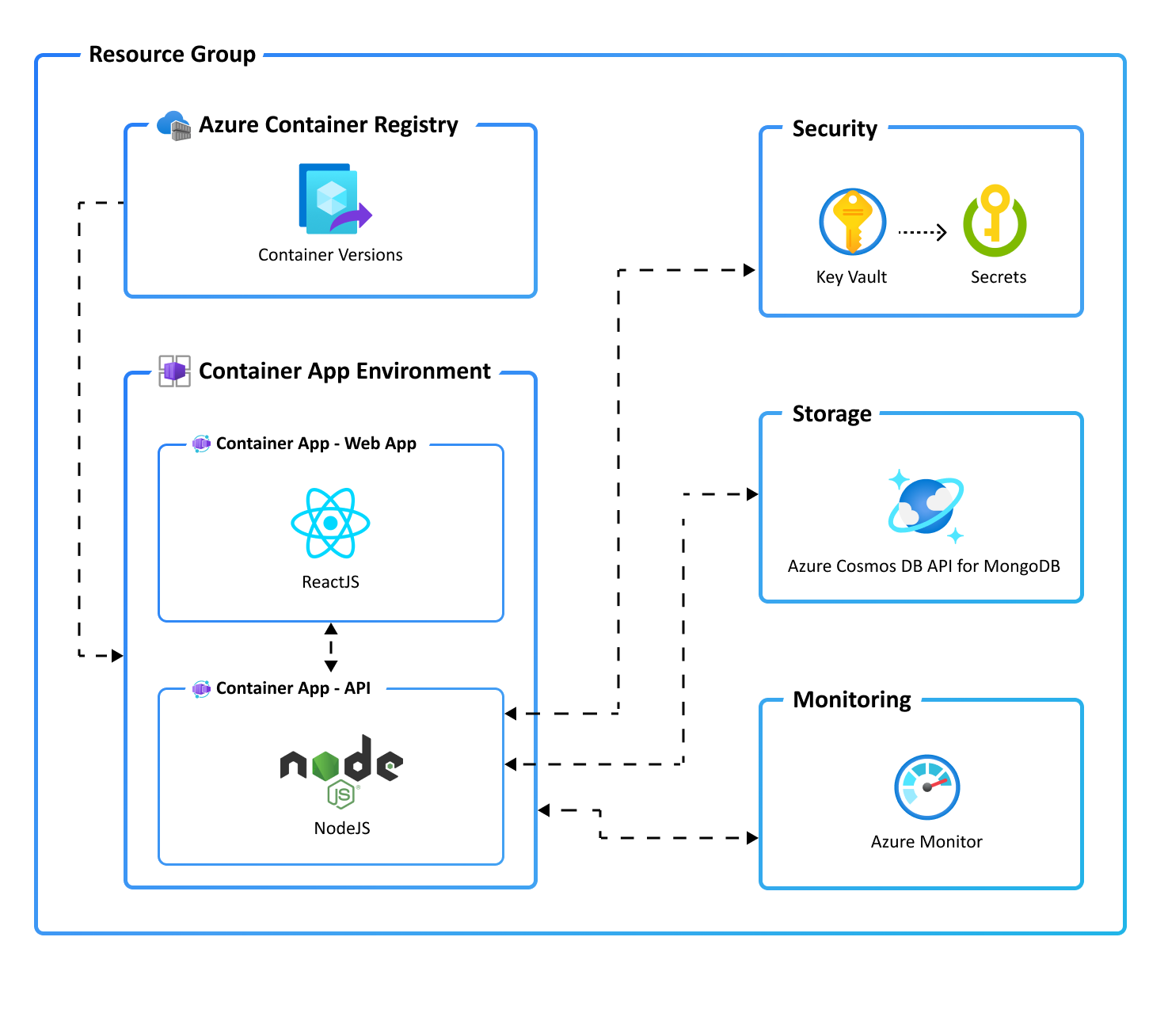
In this workshop we’ll use the Azure Dev Cli to create a ToDo Application with a Node.js API and Azure Cosmos DB API for MongoDB, and Container Apps. Upon completion, you’ll get the code in your development environment and will be able to run commands to build, deploy, and monitor the app in Azure.
Azure Developer cli
The Azure Developer CLI (azd) is a developer-centric command-line tool for cloud applications designed to:
- reduce the time required for a developer to be productive
- demonstrate opinionated best practices for Azure development
- help developers understand core Azure development constructs
- You can use the same developer workflow for any Azure Developer CLI enabled templates.
You can also access Azure Developer CLI functionality within Visual Studio Code. You can try out our Visual Studio Code extension by installing it from the Visual Studio Code Marketplace. You can use all the Azure Developer CLI commands from the VS Code extension.
Workflow
The azd focuses on the developer workflow. Apart from provisioning/managing Azure resources, the CLI helps stitch cloud components, local development configuration and pipeline automation into a complete solution.
A typical developer workflow looks like this:
- init: Create an application and initialize an environment using a sample template in your preferred language.
- provision: Provision the necessary resources for your application on Azure.
- deploy: Deploy your application to Azure.
- monitor: Monitor your application’s behavior and performance and validate deployments.
- pipeline config: Create and manage CI/CD (continuous integration and continuous delivery).
Pre-requisites
In this workshop, you create infrastructure and deploy code to Azure. If you don’t have an Azure Subscription, sign up for a free account.
Before you get started, ensure you have the following tools installed on your local machine:
- Git
- GitHub CLI v2.13+
- Azure CLI (v 2.38.0+)
- Azure Developer CLI (azd)
Windows
powershell -ex AllSigned -c "Invoke-RestMethod 'https://aka.ms/install-azd.ps1' | Invoke-Expression"
Linux/macOS
curl -fsSL https://aka.ms/install-azd.sh | bash
Start the Workshop
Below you will find the repository which contains the instructions and source code to build a complete sample ToDo application with a web frontend built in React.js and the backend API built using Typescript Express REST API. Both frontend and backend applications are deployed to Azure Container Apps.
- Start the Workshop here (While you’re provisioning resources - it’s an excellent opportunity to feedback your experiences with the Azure Developer CLI here
(Optional) Running Playwright tests
In the cloned template project, complete the included /tests/README.md instructions containing an included Playwright smoke test that will hit the ToDo app web endpoint, and create/delete an item.